
IPC360 Home
Puwell Technology IncVideo Players & Editors
2.8402.00 Reviews
- Version
- 8.10.1.0
- Installs
- 1.00M
- Age Rating
- Everyone
Screenshots
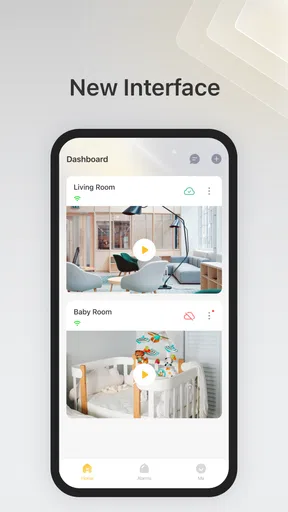
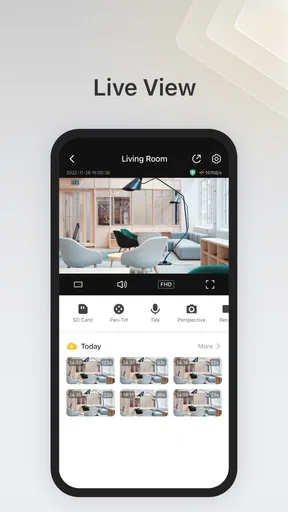
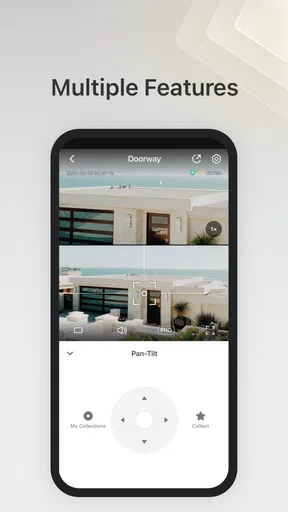
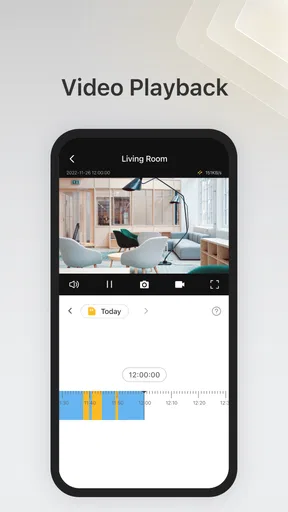
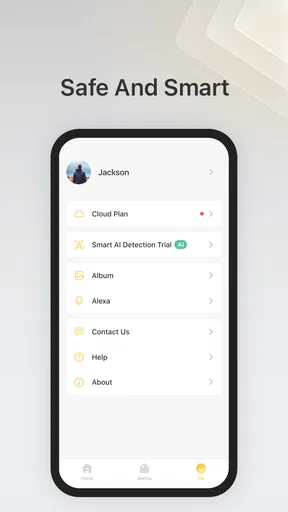
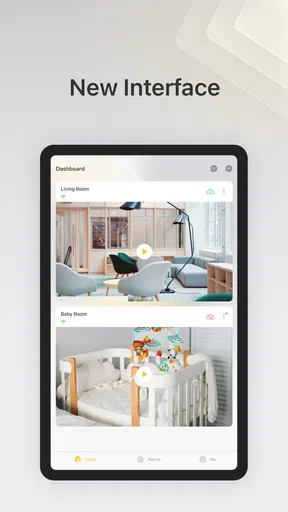
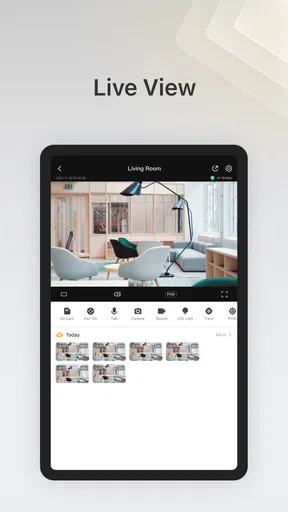
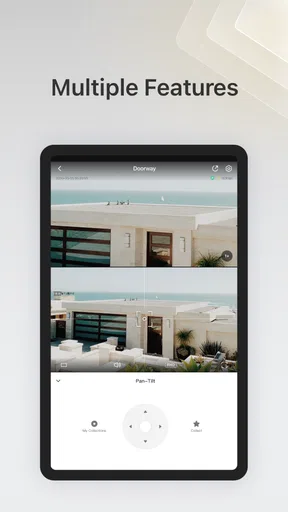
Our Review of IPC360 Home
 Analysis by Appyee
I judge a home-camera app by a simple test: can I get from installation to a useful live view without needing to become the household tech support person? That is the promise I’d look for in IPC360 Home, a free video-viewing and editing app from Puwell Technology Inc. It is aimed at people using compatible panoramic cameras at home, rather than anyone looking for a general-purpose video editor or a complete smart-home control center.
For a first-time user, the useful goal is modest: connect a camera, confirm that its view makes sense from your phone, and learn how to return to that view later. I would approach setup with the camera nearby and enough time to follow each prompt rather than trying to rush through while distracted. That makes it easier to notice whether the camera is connected to the account you intend to use and whether the picture covers the area you actually care about.
What to expect from a camera companion
This is a companion app, so its value depends heavily on the camera it is meant to work with. The panoramic view can be helpful when one camera needs to cover a broader area than a narrow, fixed angle would show. But “panoramic” should not be read as a guarantee that every corner of a room will be equally easy to inspect: placement, distance, and obstacles still matter. I would test the view from the places where people or pets are most likely to appear before relying on it.
The app has a 2.8 average from around 6,700 ratings, with about 399 written reviews, and it has passed one million installs. Those figures make me cautious rather than dismissive: they suggest a sizable audience, but also a reason to try the basic camera workflow yourself before committing to a larger setup. It is rated for Everyone, while optional in-app purchases range from $1.99 to $339.99 per item, so I would check any purchase screen carefully and decide what you need before paying for extras.
Getting through the first setup
The original setup experience is described as guided, which is welcome for anyone who is not used to pairing cameras with an app. I would follow the on-screen instructions in order and avoid guessing when a step does not behave as expected. If you are setting this up for a relative, stay with them through the first connection rather than handing over a phone and assuming the camera is ready; the important part is confirming that the live image appears on the device they will actually use.
Before choosing a permanent camera position, use the live view to check the scene at different times of day. A spot that looks well covered in daylight may have a less useful view after the room lighting changes. This is a practical way to catch framing problems early, before mounting or rearranging furniture turns a small adjustment into a chore.
The first useful check
Your first meaningful success is not simply seeing a picture once; it is being able to open the app again and understand what you are looking at. I would name or otherwise clearly identify each camera if the app offers that option, especially in a home with more than one. Then check a familiar detail in the scene, such as a doorway or a pet’s usual resting place, and make sure the panoramic view gives you enough context to recognize activity rather than just movement.
For a realistic routine, imagine leaving for work and wanting to check whether a pet has settled down. Open the camera view, look for the pet’s usual spot, and use audio only if you have a reason to speak through the camera. That is a more useful test than repeatedly checking alerts without knowing what they mean. It also helps you decide whether the camera’s position and the app’s presentation suit your daily habits.
Setting Up and Getting Started
First things first, getting IPC360 Home up and running is a breeze. The app is available on both Android and iOS, so no matter which team you're on, you're covered. After downloading, the installation process is straightforward. Just follow the prompts, and you'll be connected to your home security cameras in no time.
One thing I really appreciated was the step-by-step guidance. Even if you're not super tech-savvy, the app holds your hand through the setup, ensuring everything is connected seamlessly. Plus, the interface is clean and intuitive, which means you won't be fumbling around trying to figure out how to use it.
Features That Stand Out
So, what's the big deal with IPC360 Home? Well, the app is packed with features that make home surveillance a whole lot easier. For starters, you get a 360-degree panoramic view. Yep, no more blind spots. You can literally see everything that's happening around your camera's vicinity. The clarity is impressive, even in low light conditions.
Ever been away and wondered what's happening at home? With the real-time alerts, you'll be notified instantly if anything unusual is detected. The motion detection feature is quite sensitive, so you might want to tweak the settings to avoid unnecessary alerts. But hey, better safe than sorry, right?
- Two-Way Audio: This is a game changer. Whether you want to shoo away an unexpected visitor or just say hi to your pet, the two-way audio lets you communicate directly through the app.
- Cloud Storage: All your recordings can be stored in the cloud, meaning you can access them anytime, anywhere. Plus, it's a great way to keep your data secure.
- Multi-Device Support: Have a big family? No problem. The app supports multiple devices, so everyone can keep an eye on things.
Everyday Use and Performance
Now, how does IPC360 Home hold up in daily use? Pretty darn well, if you ask me. The app runs smoothly without any noticeable lag, which is crucial when you're dealing with home security. The notifications are prompt, and the video feed is consistently clear.
The app's scheduling feature is super handy. I’ve set mine to activate during work hours and deactivate when I get home. It's these little conveniences that make the app a standout choice for anyone looking to beef up their home security without too much hassle.
Common points of confusion
Motion alerts are useful only when they tell you something you can act on. If routine movement triggers too many notifications, I would adjust the detection settings gradually and observe the result instead of switching everything off at once. A camera aimed at a busy doorway will naturally encounter more motion than one watching a quiet corner, so the right balance depends on the room and your tolerance for interruptions.
It also helps to separate a live check from a recording you may want to revisit. A live view answers “what is happening now?”; stored footage is for looking back. Cloud storage can be convenient when you want access away from home, but I would review the purchase details and storage options in the app before assuming a particular recording plan is included. The presence of an optional purchase does not mean every household needs it.
Two-way audio is best treated as a quick communication tool, not a substitute for being physically present. It can be handy for calling a pet or speaking to someone near the camera, but sound quality and the surrounding noise can affect how clearly a message gets through. I would test it while at home first, at a sensible volume, rather than relying on it for an urgent conversation when away.
Where it fits among camera apps
Compared with a general video player, this app is built around checking a home camera rather than browsing a library of films or editing clips. Compared with a camera brand’s broader smart-home hub, its appeal is more focused: get to a panoramic camera view, respond to motion, and share access with family members. That focus is a plus if your main need is seeing what a compatible camera sees; it is less compelling if you want one app to control devices from several different brands.
I would also distinguish a camera companion from a complete security service. A phone app can make it easier to check a room and receive activity alerts, but it should not be treated as a guaranteed response system or a replacement for sensible home-safety habits. If you need professional monitoring, a particular cross-brand integration, or a recording setup with clearly defined terms, compare those requirements before choosing this route.
Who will get the most from it
This is a reasonable fit for someone who already has a compatible panoramic camera, wants a straightforward way to view it, and is comfortable checking the app when needed. It may also suit a family that wants more than one person to keep an eye on a shared space. A useful household arrangement is to agree who receives alerts and who is responsible for checking them; otherwise, multiple phones can turn one event into repeated notifications and uncertainty about whether anyone has responded.
I would skip it if you do not own a camera that works with it, want a universal viewer for unrelated camera brands, or are mainly searching for editing tools for videos recorded on your phone. It is also not the best fit if you expect a camera app alone to provide a full security plan. In those cases, a compatible camera’s own ecosystem, a cross-brand platform that meets your needs, or a dedicated monitoring service may be a better match.
Practical choices after the first check
Once the live view works, keep the next step small. Check the motion settings during an ordinary day, note which alerts are genuinely useful, and change only what is causing a problem. If the app is shared with relatives, show them how to open the camera and distinguish the live view from saved recordings. A short demonstration now can prevent confusion later, especially for someone who only uses the app when they are away from home.
For privacy, think about what the camera can see and who has access through the app. Point it toward the area you mean to monitor rather than a space that does not need watching, and be deliberate about sharing access. These are not complicated technical tricks, but they make a meaningful difference to how comfortable a camera feels in daily life.
Next step and overall impression
The app is free to download, and its current version is 8.10.1.0, with Android 7.0 as the minimum operating system. It was released on March 19, 2020, and the age rating is Everyone. I would treat those details as a starting point, then focus on the practical question that matters most: does the camera connect reliably in your home, and does its view help you make the checks you actually need?
My recommendation is conditional but clear: if you have a compatible panoramic camera and want a phone-based way to view it, respond to activity, and let family members check in, this is worth trying. If you need a broad video-editing suite or a unified control panel for mixed-brand devices, look elsewhere. The experience is most convincing when you begin with one camera, tune alerts to your room, and decide about paid storage only after you know how you use recordings.
The Final Verdict
To wrap it up, IPC360 Home is a solid choice if you're in the market for a reliable home security app. It's user-friendly, packed with useful features, and it performs consistently well. Whether you're keeping an eye on the kids, pets, or just want some peace of mind while you're away, this app has got your back.
So, if you're ready to step up your home security game, give IPC360 Home a try. It's like having a personal security guard, minus the extra cost. And let's be real, who wouldn't want that?
Verdict
Strengths of IPC360 Home
- User-friendly interface makes navigation easy.
- High-quality video streaming with minimal lag.
- Supports multiple camera views simultaneously.
- Customizable alerts for motion detection.
- Secure cloud storage options available.
Limitations of IPC360 Home
- Requires a stable internet connection.
- Limited features in the free version.
- Can drain battery on mobile devices quickly.
- Occasional delays in notification alerts.
- Subscription required for premium features.
Similar Picks in This Category
View All
Google TV
Google LLC3.9

iTunes
Apple4.7

YouTube
Google LLC3.8

MX Player
Amazon Mobile LLC4.2

CapCut - Video Editor
Bytedance Pte. Ltd.3.5

PLAYit-All in One Video Player
PLAYIT TECHNOLOGY PTE. LTD.4.5
Frequently Asked Questions
What features does IPC360 Home offer for home security?
IPC360 Home provides a range of features designed for robust home security. Users can enjoy real-time video streaming, high-definition footage, and night vision capabilities. The app supports two-way audio communication, allowing interaction with anyone near the camera. Additionally, motion detection alerts keep you informed of any unusual activity, ensuring a comprehensive security solution.
Is IPC360 Home compatible with both Android and iOS devices?
Yes, IPC360 Home is compatible with both Android and iOS devices. This ensures that users across different platforms can access the app and its features smoothly. The app is available for download on the Google Play Store for Android users and the Apple App Store for iOS users, providing flexible options for all smartphone users.
How easy is it to set up IPC360 Home for the first time?
Setting up IPC360 Home is straightforward and user-friendly. The app guides you through a step-by-step process, making it simple even for those with limited technical knowledge. After downloading the app, users can connect their cameras to the home Wi-Fi network, allowing immediate access to live video feeds and settings via the app.
What are the subscription options and costs associated with IPC360 Home?
IPC360 Home offers both free and premium subscription options. The free version includes basic features like live streaming and motion alerts. For enhanced features such as cloud storage and advanced alert settings, users can opt for a premium subscription. Pricing details vary depending on the selected plan and region, so checking the app for the latest information is recommended.
Is my data secure with IPC360 Home?
Data security is a priority with IPC360 Home. The app employs encryption to protect video streams and user information. Additionally, it regularly updates its security protocols to safeguard against unauthorized access. Users can feel confident that their privacy and data are well-protected while using the app.
